Background: How tokens work
On Veltrune, you earn tokens by completing goals and having your accountability partner verify your evidence. Every 100 tokens = $1 USD.
When you withdraw, Veltrune sends you USDT (Tether) — a stablecoin always worth $1 — directly to your crypto wallet. We use the Polygon network, which has near-zero transaction fees and fast confirmations.
Overview
Create a Bybit account
Free, takes 2 minutes
Find your Polygon USDT deposit address
Inside Bybit's Deposit page
Submit withdrawal on Veltrune
Paste the address and choose your amount
Receive USDT in your Bybit wallet
Usually within 24–48 hours after admin approval
Create a Bybit account
Bybit is a crypto exchange where you can hold and manage your USDT. It's free to sign up and requires no trading experience.
Bybit Registration GuideOpen the Deposit page on Bybit
Once logged in, click the orange Deposit button in the top-right corner of the Bybit navigation bar.

Click the orange Deposit button in the top-right corner
Select "Deposit Crypto"
A payment method popup will appear. Under the "Already have crypto" section, click Deposit Crypto.
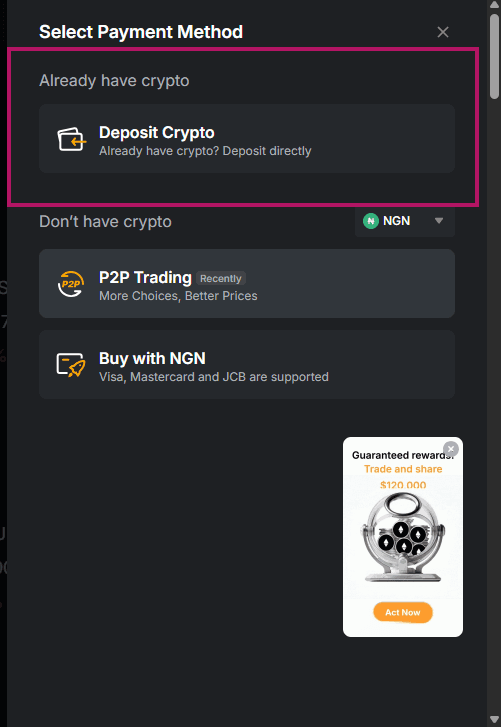
Click Deposit Crypto under the “Already have crypto” section
Choose USDT as your coin
On the Deposit page, click the coin selector and type USDT in the search box. Select USDT — Tether USDT from the results.

Type usdt in the search box and select USDT — Tether USDT
Select Polygon PoS as the network
Under "Choose a Chain", select Polygon PoS.

Select Polygon PoS — not Ethereum (ERC20) or TRON (TRC20)
Copy your wallet address
Bybit will now show you your personal USDT Polygon deposit address — a long string starting with 0x. Click the copy icon next to the address.

Copy the full 0x... address — this is where Veltrune will send your USDT
Submit your withdrawal on Veltrune
Log in to Veltrune and click Earnings in the left sidebar. This is where you can see your token balance and access the withdrawal page.
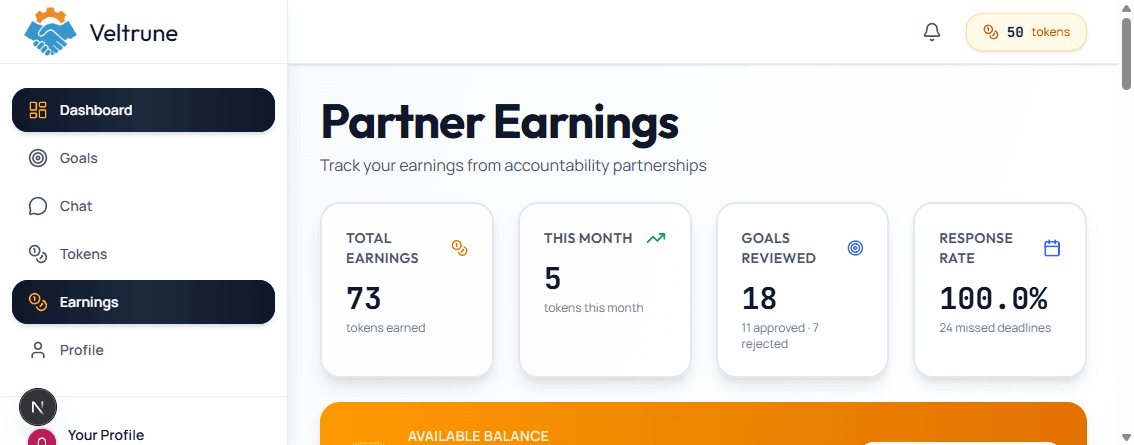
Click Earnings in the left sidebar to open this page
Scroll down to the Available Balance card and click the orange Withdraw Tokens button.
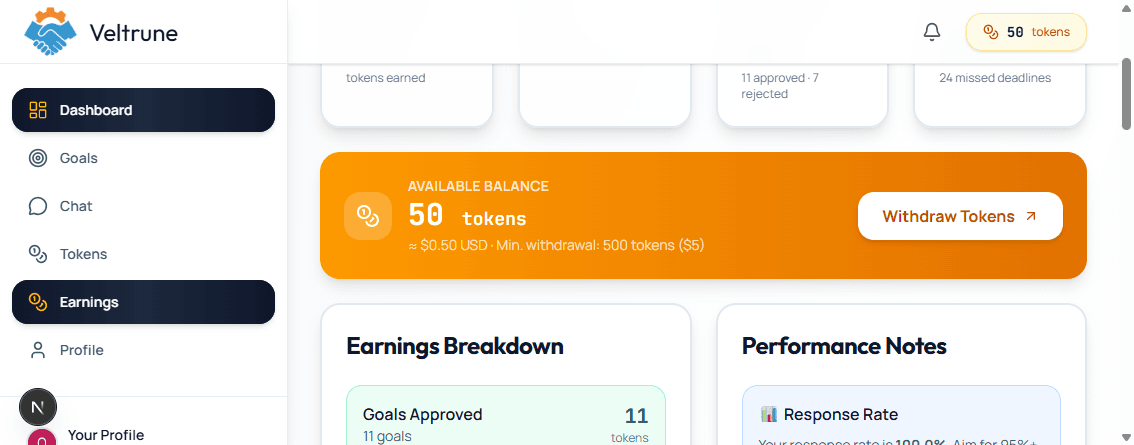
Click the orange Withdraw Tokens button to open the withdrawal form
On the Withdraw Tokens page, fill in the form:
- 1Paste your Bybit Polygon USDT address into the "Polygon Wallet Address" field
- 2Enter the amount of tokens you want to withdraw (minimum: 500 tokens = $5)
- 3Click "Submit Withdrawal Request"
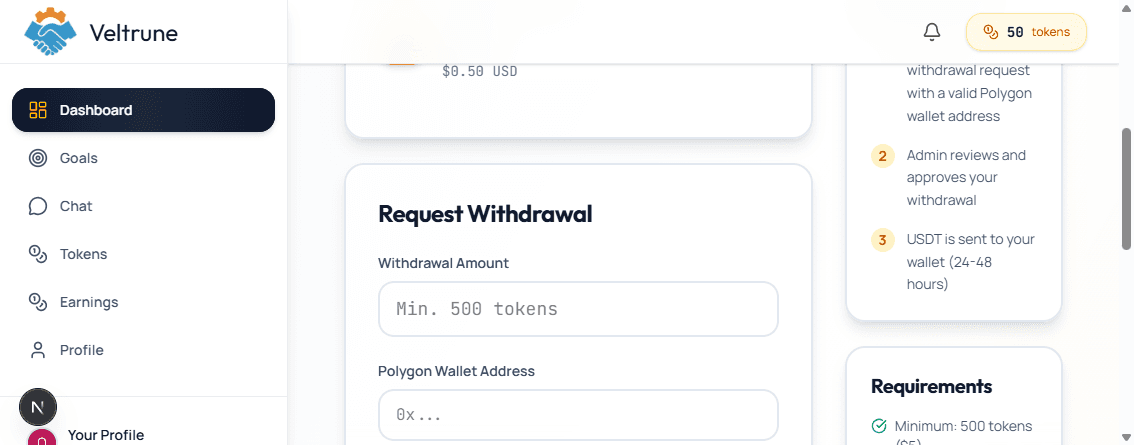
Enter your withdrawal amount and paste your Polygon wallet address
Receive your USDT on Bybit
Once Veltrune sends the transaction, you'll receive your USDT in your Bybit Funding wallet. You can monitor it under Assets → Deposit Records on Bybit.
Polygon transactions require 150 confirmations before Bybit credits them — this usually takes about 5–10 minutes after the transaction is sent.
Frequently Asked Questions
Are there any withdrawal fees?+
No. Veltrune covers the Polygon network gas fees. You receive the full amount you request.
What is the minimum withdrawal?+
500 tokens ($5). You can withdraw any amount above this.
How long does a withdrawal take?+
Withdrawals require admin approval, which typically happens within 24–48 hours. Once sent, the USDT arrives in your Bybit wallet within minutes.
Can I use a different exchange instead of Bybit?+
Yes — any exchange or wallet that supports USDT on the Polygon (Polygon PoS) network will work. Just make sure you get the correct Polygon deposit address.
What if I paste the wrong wallet address?+
Crypto transactions are irreversible. Always double-check your address before submitting. If you submit the wrong address, the funds cannot be recovered.
Can I cancel a withdrawal after submitting?+
You can contact support before your withdrawal is approved. Once it has been sent on-chain, it cannot be reversed.
Ready to withdraw?
Head to your dashboard to submit a request.